
Bloom Clipper for Podcasters
Turn one recording session into a week of vertical clips
Where podcasters lose time on clipping
- •A 90-minute episode has maybe 8-10 clip-worthy moments buried in it, and scrubbing through the raw file to find them eats an hour before you've cut a single clip
- •Two-camera or two-mic interview setups need a layout that shows both hosts, not a single auto-cropped face
- •Subscription clipping tools meter by the minute, and a weekly show adds up to hundreds of processing minutes a month
How it works for podcasters
Drop the raw episode (or pull it straight from your Bloom Meeting recording library) into Bloom Clipper, scrub the timeline while you listen back, and hit "Add cut" at every moment worth posting. For co-host or guest segments, switch that cut to Half 9:16 — Bloom Clipper stacks your two speaker angles automatically so viewers see both faces without you hand-building a split-screen. Full 9:16 mode handles solo monologue moments with a draggable, zoomable crop box locked to your host's face.
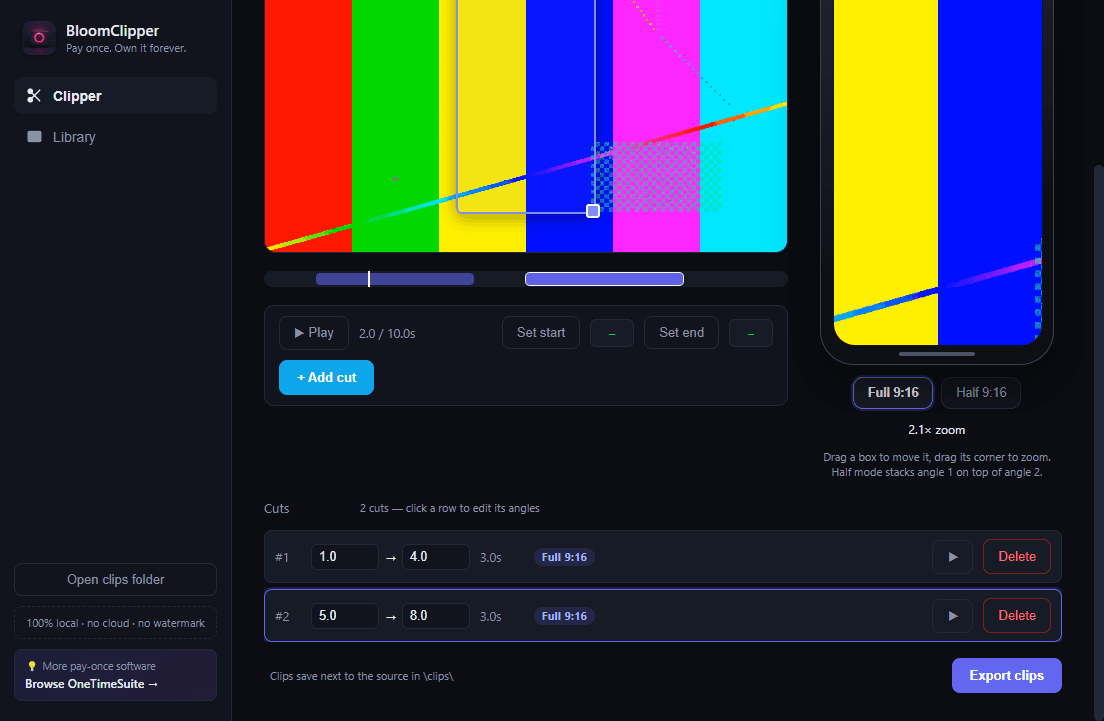
A weekly interview podcast exports 6-8 vertical clips per episode — cold opens, disagreement moments, punchlines — without ever uploading the raw recording anywhere.
“Podcast clipping is inherently a two-speaker problem most AI auto-reframe tools handle badly. Half 9:16 mode exists specifically for this.”
Buy Bloom Clipper once — $29
100% local. No subscription. No watermark.